
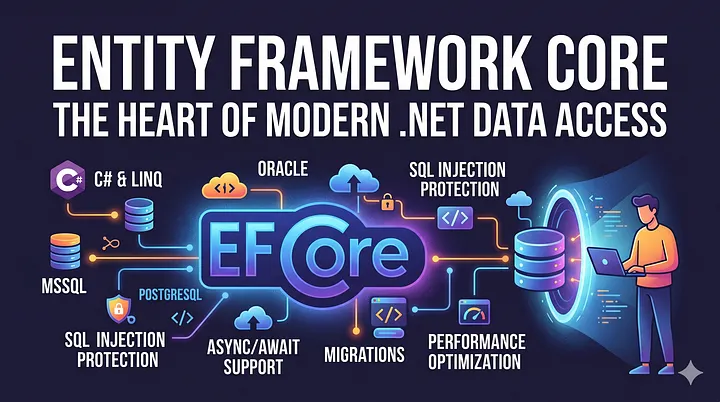
Entity Framework Core (EF Core) has become one of the most widely used and appreciated tools in the ASP.NET ecosystem since its release. By shielding us from the complexities of SQL, EF Core allows us to write queries in C# that align with modern software development principles, making them both clean and highly readable.
Why EF Core?
Over time, as cyberattacks have evolved, systems have become much more resilient against threats like SQL Injection. EF Core’s role isn’t limited to simple CRUD operations; it also enables us to perform complex LINQ queries with ease.
In the past, interacting with a database was a laborious task. ORMs (Object-Relational Mapping) have significantly reduced this burden. However, we must remember that ORMs — and specifically EF Core — are helper tools. They are not perfect, and they are not suitable for every single scenario.
It is not enough to just know how to write queries. Understanding what happens behind the scenes and how it impacts system resources is critical. In this article, we will explore these key points.
What is an ORM and Why is EF Core Important?
The Purpose of ORMs
ORMs were created to provide database access directly through object-oriented programming rather than writing manual SQL queries. Before ORMs, developers relied on lower-level technologies like SQL, JDBC, or ADO.NET.
Benefits of ORMs:
- Establish a solid bridge between the database and the software.
- Increase project durability and maintainability.
- Reduce dependency on specific database technologies.
- Minimize code duplication.
Advantages of EF Core
With EF Core, .NET projects:
- Communicate with the database more securely.
- Utilize modern and readable code.
- Achieve more with less code.
- Ensure type safety.
Note
EF Core is not a “silver bullet.” In projects requiring extreme performance or very specific, highly optimized queries, Raw SQL may still be preferred.
Core Components of EF Core
EF Core derives its power from three main components:
- DbContext: The heart of EF Core. It manages the connection and serves as the primary gateway for database communication.
- DbSet<T>: Represents a specific table in the database, behaving like a generic collection.
- POCO (Plain Old CLR Object): The C# class representation of database tables, consisting primarily of simple properties.
Code-First vs. Database-First
- Code-First (Most Preferred): You generate the database from C# classes. This is the most flexible and popular method in modern development.
- Database-First: You automatically generate C# classes from an existing database. However, this can sometimes lead to type-mismatch issues or synchronization hurdles.
How EF Core Works: The Lifecycle of a Query
When a database query is executed, these steps take place:
- LINQ Querying: The developer writes the query in C# using LINQ.
- Translation: EF Core translates the LINQ expression into a provider-specific SQL query.
- Execution: The SQL query is sent to the database.
- Materialization: The raw data returning from the database is transformed back into C# objects.
- Tracking & Saving: EF Core tracks changes made to these objects. Changes are only persisted once
SaveChanges()is called.
Migrations: Version Control for Your Schema
Migrations act as a version control system for your database. They keep a C# history of your tables, relationships, and structures.
Benefits of Migrations:
- Tracks the evolution of the database schema.
- Allows you to roll back to a specific version at any time.
- Ensures a consistent database environment across the entire development team.
Performance: Using No-Tracking
By default, EF Core “tracks” every object retrieved from the database. While useful for updates, this causes overhead for read-only scenarios.
The AsNoTracking() Method: If your goal is only to read and display data, you should use AsNoTracking():
var data = _context.Users.AsNoTracking().ToList();This reduces memory consumption and speeds up execution by skipping the tracking logic.
IEnumerable vs. IQueryable: A Critical Distinction
- IEnumerable: Designed for in-memory collections. It fetches the entire dataset from the database and filters it in the application memory.
- IQueryable: Designed for remote data sources. The query is executed directly on the database server, and only the required rows are fetched.
Practical Example:
// WRONG - All rows are pulled into memory first
var highEarners = _context.Employees
    .ToList() // Execution happens here; pulls everything
    .Where(e => e.Salary > 50000)
    .ToList();

// RIGHT - Filtering happens at the Database level
var highEarners = _context.Employees
    .Where(e => e.Salary > 50000) // Optimized SQL is generated
    .ToList();
The N+1 Problem
Imagine an e-commerce site where you want to list products along with their owners:
SELECT * FROM Products;→ This query returns a list of products (represented by "1").SELECT * FROM Owners WHERE Id = @OwnerId;→ This query fetches the owner for a specific product (represented by "N").
If you have 10 products, you will hit the database 11 (1+10) times. If you have 1000 products, you hit it 1001 times. This is a performance disaster. To solve this, we have three main strategies:
1. Eager Loading
This is the most common and safest solution. You tell EF Core: “Bring the owner along with the product.”
var products = _context.Products
    .Include(p => p.Owner) // This acts as a SQL JOIN
    .ToList();
Using .Include() generates a single query with a JOIN, fetching all related data in one go.
2. Explicit Loading
You fetch the main data first and load the related data manually only when needed.
var product = _context.Products.First();
// ... logic ...
_context.Entry(product).Reference(p => p.Owner).Load(); // Fetches only this product's owner
Useful when you don’t always need the related data, but remember that every .Load() call is an extra trip to the database.
3. Lazy Loading
This loads related data automatically the moment you access the property. However, it is rarely used in modern high-performance applications because it can accidentally trigger the N+1 problem inside loops.
The Pitfall of .Include(): Cartesian Explosion
While .Include() is powerful, it’s not a miracle. If a Product has 10 Comments and 5 Tags, including both will cause the database to return a massive, redundant result set (multiplying the rows).
The solution is the .AsSplitQuery() method. It breaks the giant JOIN into 2 or 3 logical, smaller queries and joins them on the code side.
var products = _context.Products
    .Include(p => p.Comments)
    .Include(p => p.Tags)
    .AsSplitQuery() // Prevents Cartesian Explosion
    .ToList();
Conclusion
Entity Framework Core is a phenomenal tool in the .NET ecosystem. However, using it effectively requires understanding its internal mechanics, optimizing queries, and avoiding common performance traps. By mastering these concepts, you can build secure, fast, and maintainable applications.